
Design and publishing
Create maps for brochures, guidebooks, reports, magazines and presentations. Match an exact page size, cut the visual clutter and export a file that drops into the surrounding layout.
Layered SVG and PSD exportPick a place and an exact paper size, choose one of 12 map styles, then add routes, places, photos and a title. Download a 300 dpi PNG or a PDF for the printer, or a layered SVG or PSD to keep editing.
Open the free editor
Design a custom printable map in three steps.


Titles, photos, map furniture and terrain sit on the same page as the map, so what you see on screen is what comes out of the printer.
Start from a layout such as City edition, Quiet lines or After dark, then set the title, subtitle, coordinates, margins and paper colour yourself.
Map poster templatesUse the outline of a country or region as the edge of the map, so the streets and coastline of Portugal or Bavaria fill the shape.
Country map postersAttach photos to places and show them as badges on the map or as a numbered strip with captions under it. A poster holds up to 24 photo stops.
Travel maps with photosAdd a north arrow or compass rose, a metric or imperial scale bar, a labelled coordinate grid, and a QR code that opens the spot in Google Maps.
Printable map makerSwitch on 3D terrain for mountain areas and draw contour lines at the interval and colour you choose.
Topographic mapsRecord a 5, 10 or 15 second orbit or sway around the map as an MP4, in the page shape or in 16:9, 9:16, 1:1 or 4:5 for social posts.
Map video makerExport the terrain inside your print frame as an STL model sized in millimetres, with an optional raised ridge along a route.
3D terrain STLSee the poster on a wall in a black, white, oak or walnut frame, with or without a mat, before you send it to the printer.
Wedding map postersSend a read-only link to the finished design, or paste an iframe embed into a blog post or website.
Share and embed mapsThe same editor handles a wedding gift, a trail guide and a property flyer.
Create maps for brochures, guidebooks, reports, magazines and presentations. Match an exact page size, cut the visual clutter and export a file that drops into the surrounding layout.
Layered SVG and PSD exportTurn a hike, ride, run or visitor route into a printable map. Draw the route or import a recorded track, mark the stops, and download its elevation profile alongside.
Route map postersPut a property in its neighbourhood. Add nearby schools, shops and stations from a spreadsheet, outline the district and show how far a 15-minute walk reaches.
Real estate mapsShow entrances, venues, parking, transport stops and event boundaries on one page for programmes and handouts, then share the same map as a link, an embed on the event site or a QR code.
Share and embed mapsMake wall art of a home town, the city where you met, or a road trip with photos from each stop. Pick a style that suits the room, then preview it in a frame.
City map postersCombine a base map with administrative boundaries, custom shapes, travel-time areas and markers to explain access and surroundings in a static report.
Travel time mapsEach page walks through one kind of map, with the settings that matter for it.
The essentials about creating, saving, and exporting your map.
Print Map Studio is a free browser-based editor for print-ready maps and map posters. Pick a place, set the page size, choose a style, add routes, places, photos or shapes, and export the finished map.
Choose the page size and orientation, move the map to the place you need, select a visual style, then add routes, places or areas. Turn on a poster layout for a title and caption, check the composition on the page, and export when it looks right.
Yes. Every feature and every export format is free, and exports carry no watermark. The only text added to the page is the small map data credit that OpenStreetMap requires.
No. Open the editor and start designing. Print Map Studio runs in your browser.
Your current project autosaves in browser storage on your device. Download a portable project file to keep a backup or to continue on another computer.
Yes. Start from A2, A3, A4, A5, A6 or US Letter, or enter a custom width and height in millimetres, then switch between landscape and portrait.
You can import GPX, KML and GeoJSON files. Imported routes, points and shapes become editable layers in the project.
Yes. Draw routes as straight lines, arcs or road-following directions, add travel markers along them, and place single markers or a whole list of places. Each layer has its own style.
Yes. Paste up to 300 rows with coordinates into the place spreadsheet, or up to 25 addresses that the editor looks up for you.
Yes. A place marker can use your own PNG, JPEG or SVG image. Custom markers are saved inside the project file and appear on the live map and in PNG, layered SVG and layered PSD exports.
Yes. Pin a photo to a place and show it as a round or square badge on the map, or in a numbered strip with captions along the top or bottom of the page. A poster can hold up to 24 photo stops.
Yes. Pick any country or first-level region from the built-in catalogue and add it as a styled shape, or use its outline as the frame of the whole map.
Yes. Adjust text scale, show or hide labels and other map details, and choose local names, English, German, French, Italian, Spanish or Chinese.
Map tiles come from OpenFreeMap. Place search, road routing, map matching and travel-time areas use Mapbox, and elevation data comes from Open-Meteo. Everything else, including exports, runs in your browser.
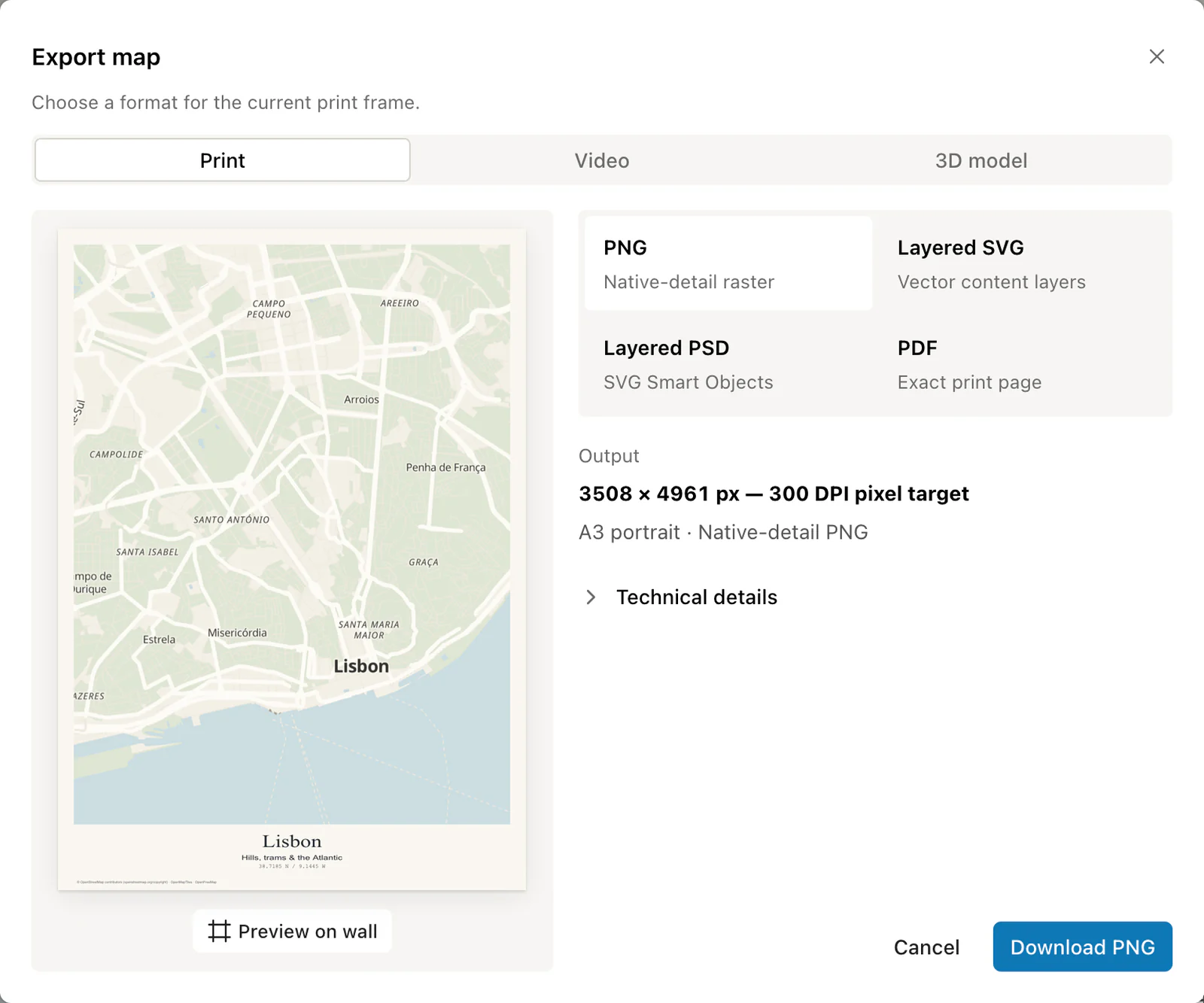
Print Map Studio exports print-sized PNG, PDF, layered SVG and layered PSD files, plus MP4 map videos and STL terrain models. PDF and SVG keep routes, places and shapes as vector content. PSD puts each content layer in its own SVG Smart Object over the basemap.
Yes. PNG export renders the selected page size at 300 dpi, so an A3 page comes out at about 4961 by 3508 pixels. PDF keeps the exact page dimensions. The editor estimates memory use before very large exports.
Yes. Video export records an orbit or a gentle sway around your map for 5, 10 or 15 seconds at 30 or 60 fps, as MP4 in Chrome, Edge or Safari. STL export turns the terrain into a relief model for a 3D printer, with an optional raised route.
Choose layered SVG for named vector groups in Illustrator, Inkscape or Affinity, or layered PSD for separately named Smart Objects in Photoshop. PNG gives you a finished image and PDF an exact page.
Exports are created in your browser and download straight to your device.
Yes. Download a PNG or PDF at the exact page size and send it to any print shop or online printing service. The map print size guide lists pixel sizes for each paper size. Wall preview shows the poster in a black, white, oak or walnut frame first.
Yes. Create a read-only share link or copy an iframe embed code for your website, as described in share and embed maps. The shared map keeps your design and the map attribution.
The standard map styles use OpenFreeMap and OpenMapTiles data derived from OpenStreetMap. The required attribution is printed as a small credit in the page margin of every export.