Print Map Studio
Maps for print documents

A printable map maker for handouts, reports and guidebooks

Set an exact page size, style the map so it reads on paper, add routes, places, a scale bar and a grid, then export a 300 DPI PDF or PNG that drops straight into your document. It runs in your browser with no account and no watermark.

  • A4, US Letter and custom sizes
  • Scale bar and grid
  • Vector PDF
  • No account
Map tab with the twelve map styles next to a Kyoto poster

Set the page size before you design

Choose A2, A3, A4, A5, A6 or US Letter, switch between portrait and landscape, or type a custom width and height in millimetres. The editor draws a print frame at that size, so you compose against the real page instead of a browser window.

For a map that goes inside a document, size the page to the space it will fill. A4 with 25 mm margins leaves a 160 mm text column, and US Letter with one-inch margins leaves 165 mm. A 160 × 110 mm custom page drops into either without scaling. The map print size guide lists the pixel dimensions for every common size.

  • A2–A6 presets
  • US Letter
  • Portrait or landscape
  • Custom millimetres
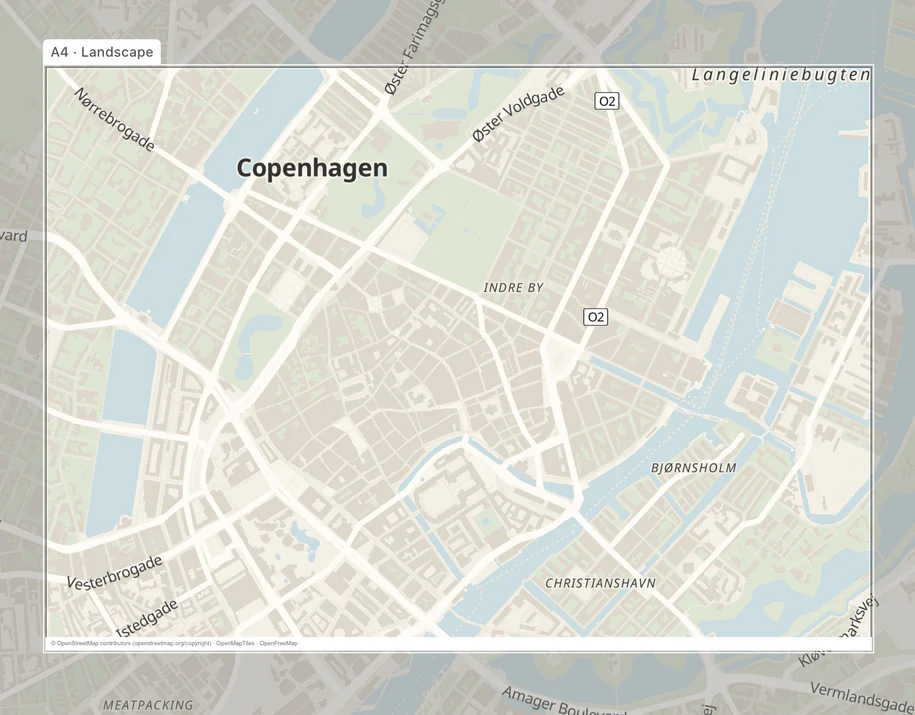
Visible A4 landscape print frame over a styled Copenhagen map in Print Map Studio
Keep the print boundary visible.The frame shows which map details and overlays will fit on the selected page.

Maps for handouts, reports and guidebooks

Most printed maps are not posters. They sit on a handout, in a report appendix or on a guidebook page, next to text that explains them. These are good starting points for the jobs that come up most.

Suggested page sizes and exports for common print documents.
DocumentPage to setWhat to addFile to export
Event handoutA4 or US Letter portraitThe venue and parking as places, a walking route from the station, a scale barPDF for the copy shop
Report figure160 × 110 mm custom page, margins 0Site boundary as a shape, a coordinate grid with labels, a north compassPNG for Word, PDF for InDesign
Guidebook pageA5 or A6 portraitA day walk with its stops, labels at 120–130% text scalePDF or layered SVG for the designer
Brochure panelCustom 99 × 210 mm for a DL panelTwo or three places with your own marker, quiet base mapPDF
Field sheetA4 landscapeCoordinate grid at a round interval, metric scale bar, contour linesPDF

Make the map readable on paper

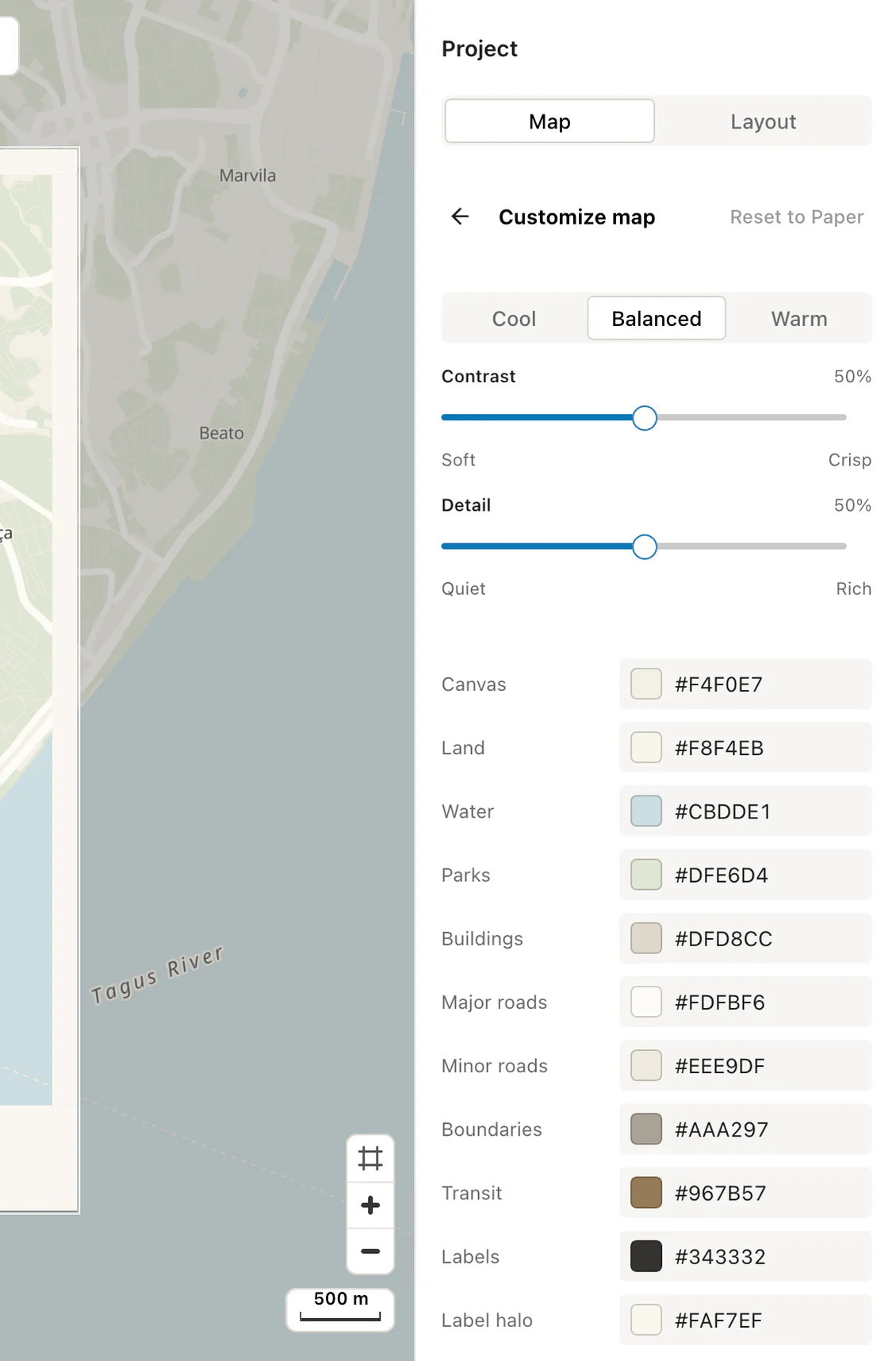
Print Map Studio has 12 styles, from Paper and Porcelain to Graphite, Night Ink, Blueprint and Alpine. Each sets the colours for land, water, roads, parks, buildings, boundaries, transit and labels, and the palette editor lets you shift tone, contrast and detail or replace any of them.

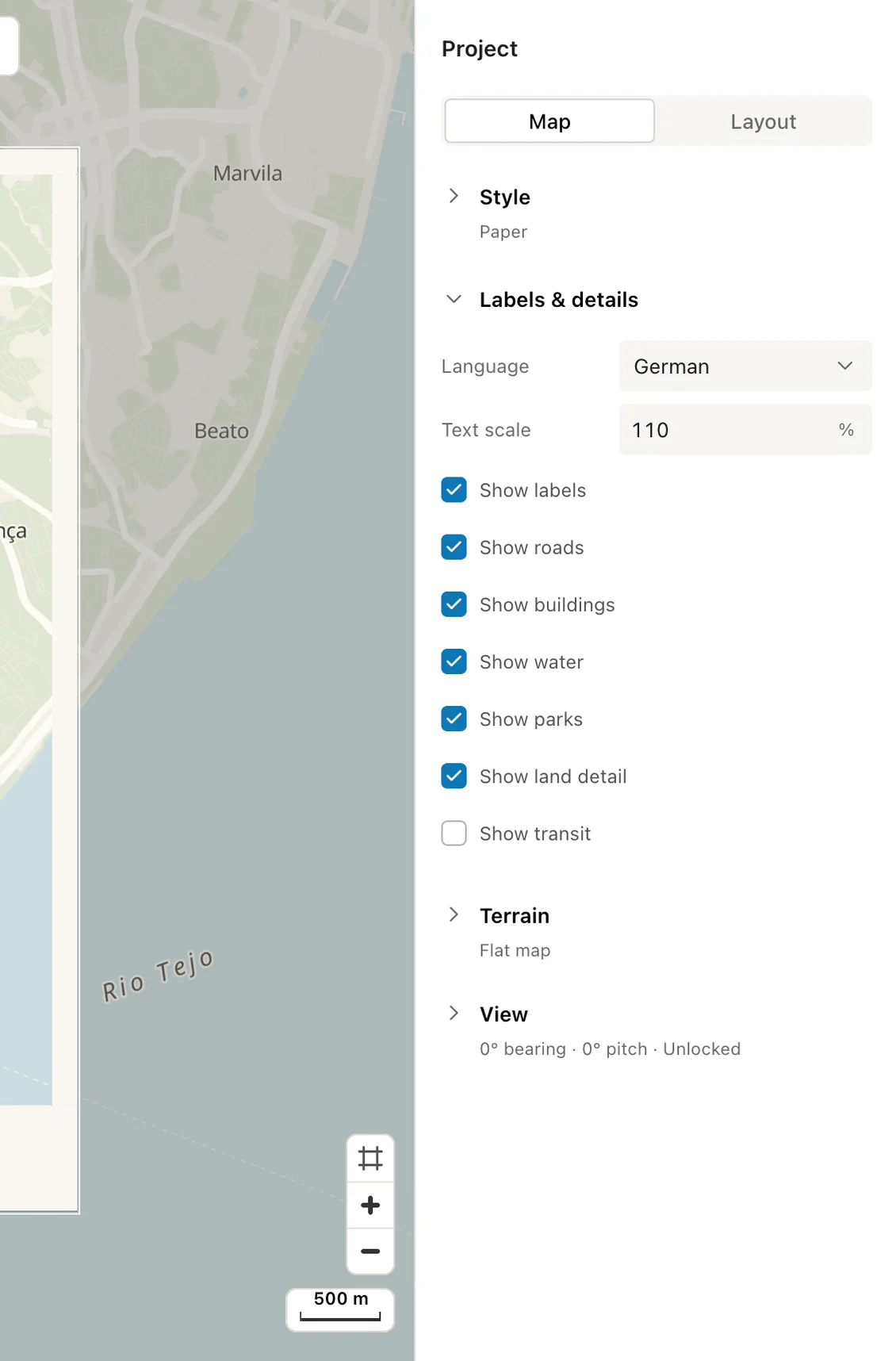
Labels come in local names plus 6 languages: English, German, French, Italian, Spanish and Chinese. Text scales from 50% to 200%. Street names that look fine on screen often print too small on an A5 page, so a text scale of 120–130% is a sensible start for handouts.

If the document will be photocopied in black and white, pick Graphite or Porcelain and give each route a dashed or solid line, so they stay distinct without colour.

  • 12 map styles
  • Local names plus 6 languages
  • 50–200% text scale
  • 7 detail toggles
Print Map Studio custom palette with tone, contrast, detail and colour controls
Customise the paletteAdjust tone, contrast, detail and individual map colours.
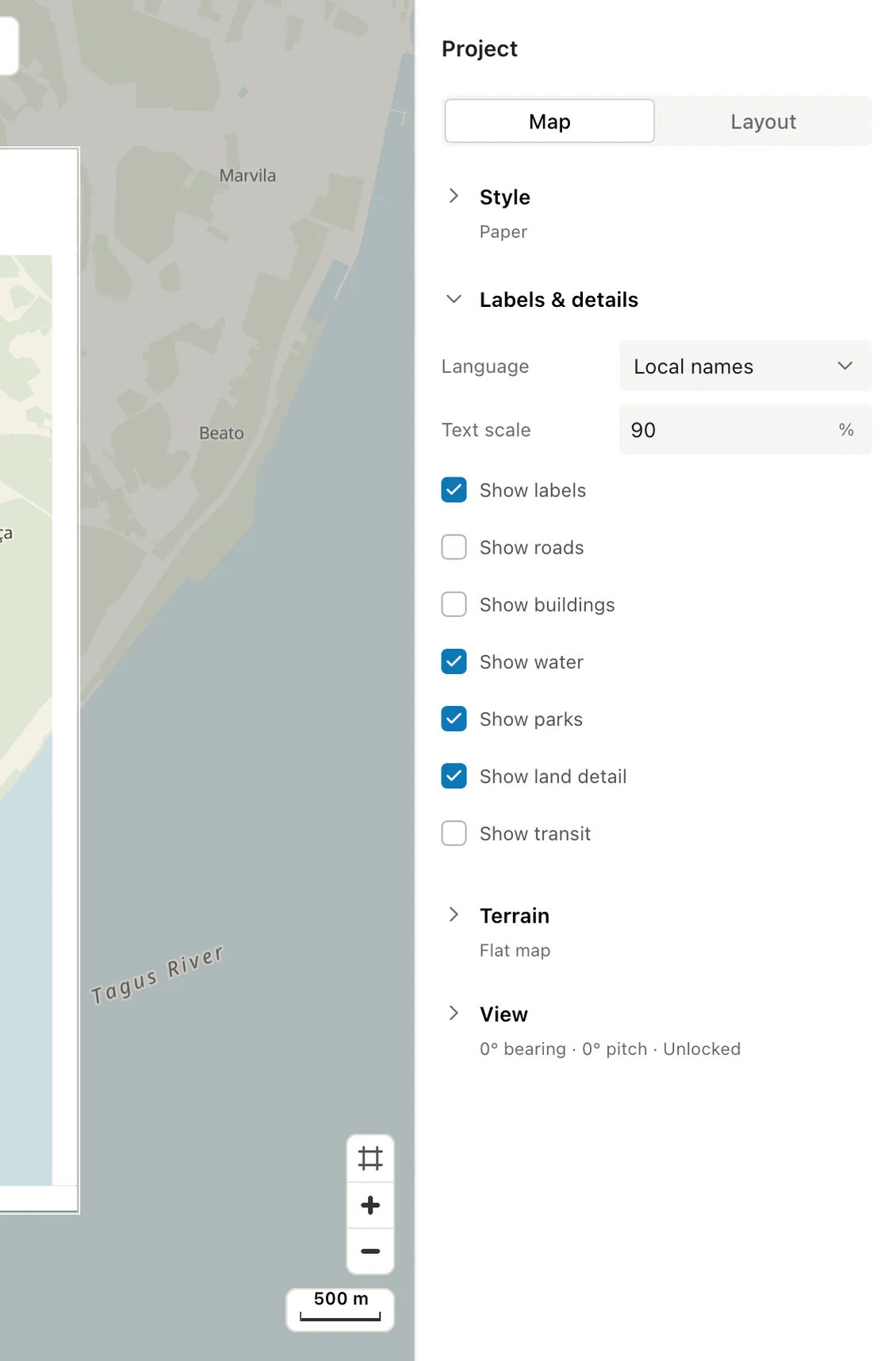
Print Map Studio map detail controls with roads, buildings and transit turned off
Toggle map detailsShow or hide roads, buildings, labels, water, parks, land detail and transit.
Print Map Studio language selector and text scale controls set to German
Change labels and text sizeChoose a label language, then scale the map text from 50% to 200%.

Add routes, places and boundaries

Draw routes as straight lines, arcs or road-following directions, drop single places, or paste up to 300 rows of coordinates into the place spreadsheet. Shade countries and first-level regions from the boundary catalogue, draw your own shapes, or add travel-time areas for 5 to 60 minutes by car, bike or on foot.

Recorded tracks come in through the GPX map maker as editable layers. Every route, place and shape can be styled, reordered, hidden or duplicated, and places can use your own PNG, JPEG or SVG marker, such as a company logo.

  • Routes and waypoints
  • Places and markers
  • Countries and regions
  • GPX, KML, GeoJSON

Add a scale bar, grid and compass

Reference maps need the small cartographic details that posters leave out. Add a metric or imperial scale bar from 10 to 100 mm wide, a coordinate grid at any interval from 0.01° to 90° with labelled lines, and a north compass as an arrow or a rose. Each sits in the corner you choose and is sized in millimetres, so it prints exactly as large as you set it.

Pick a round grid interval that suits the area: 0.01° on a town plan, 0.1° on a regional map. For a printed map people will use to find a venue, a location QR code that opens Google Maps does more than a grid.

  • Metric or imperial scale
  • Labelled coordinate grid
  • Arrow or rose compass
  • Location QR code

Place the map in Word, InDesign or a print shop file

PDF keeps the exact page size, with routes, places, shapes, the grid and the scale bar as vectors over a 300 DPI basemap. It places cleanly in InDesign, Affinity Publisher and Illustrator, and most print shops accept it as it is.

PNG is a 300 DPI image with its DPI written into the file, so Word and InDesign place a 160 mm map at 160 mm. Layered SVG and layered PSD keep each layer separate for a designer to finish. The layered export page compares all four formats.

Every export carries a small credit for OpenStreetMap, OpenMapTiles and OpenFreeMap in the bottom margin, or in a slim strip under the map when the margins are zero. Files are made in your browser and download straight away, with no watermark.

  • PNG file formatFlat image
  • PDF file formatExact page
  • SVG file formatVector groups
  • PSD file formatSmart Objects

Ready to start?

Set an A4 page and make the map for your handout.

Open the map editor

Common questions.

Page sizes, Word and InDesign, scale bars and print quality.

What page sizes can I use?

Choose A2, A3, A4, A5, A6 or US Letter, or enter a custom width and height in millimetres. Portrait and landscape both work, and custom pages go up to 1330 mm a side.

How do I put a map into a Word document?

Set a custom page the width of your text column, for example 160 × 110 mm, set the margins to 0 and export a PNG. Word reads the DPI stored in the file and inserts the map at 160 mm wide.

Will the map print sharply on an office printer?

Yes. PNG and PDF exports are rendered at 300 DPI for the page you set, and in PDF the routes, places, scale bar and grid stay as vector lines.

Can I add a scale bar and a grid?

Yes. The Layout tab has a metric or imperial scale bar, a coordinate grid with optional labels, a north compass and a location QR code.

Which export format should I choose?

PDF for a print shop or InDesign, PNG for Word and slide decks, layered SVG for Illustrator or Inkscape, and layered PSD for Photoshop.

Where is my project saved?

The project autosaves in your browser storage. Download a portable project file to keep a copy you can open on any computer.