Print Map Studio
Comparison

A free Printmaps.net alternative for print-ready maps

Printmaps.net and Print Map Studio both make map files for print. One sells a licence per map; the other is free, with its source code on GitHub. Here is how they compare on price, formats, page sizes and map tools.

  • Checked 19 October 2026
  • Sources linked
  • Written by Yasoob Khalid, who builds Print Map Studio
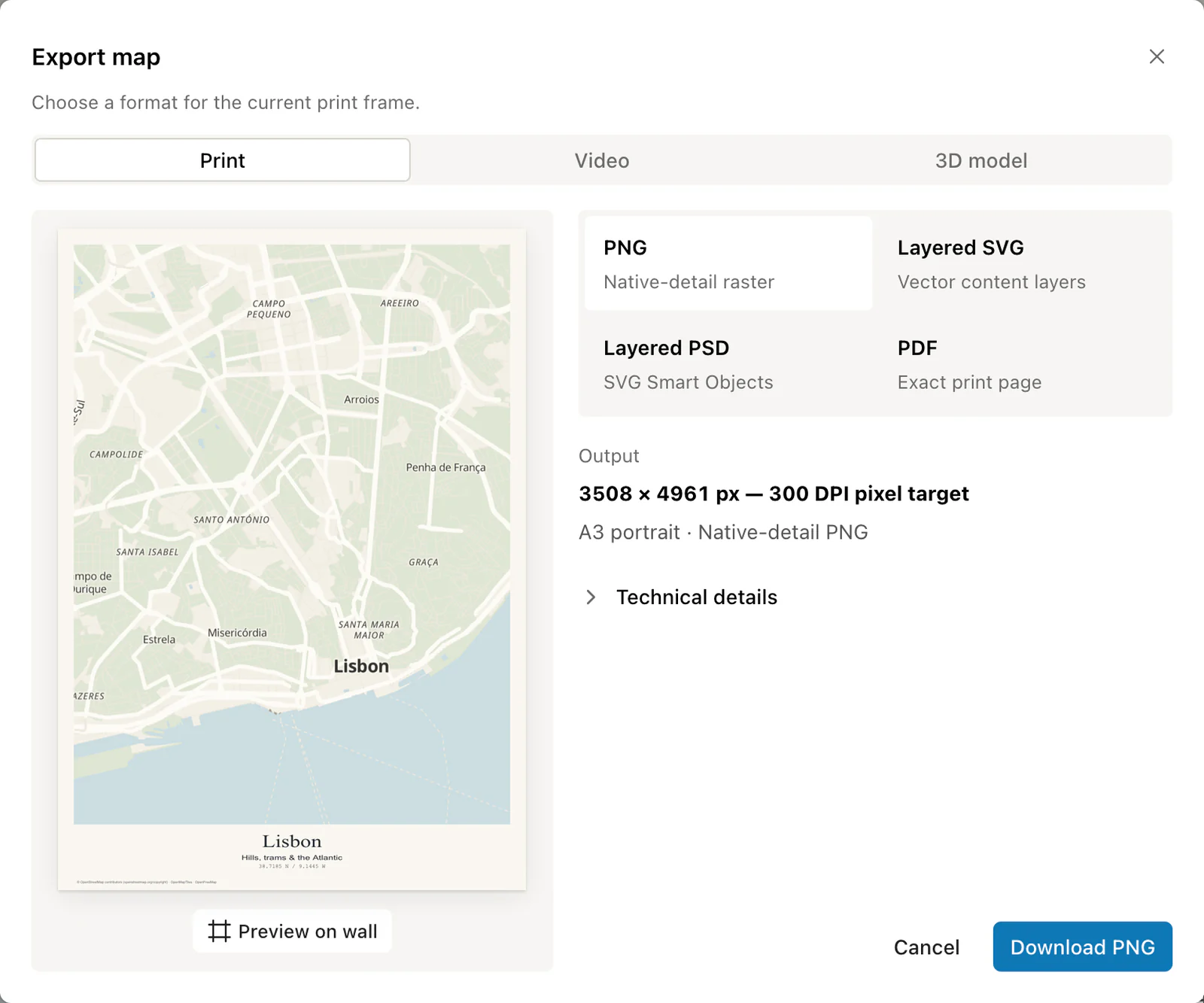
Export dialog with a preview of the Lisbon poster and PNG, SVG, PSD and PDF options

Print Map Studio and Printmaps.net side by side

Printmaps.net details come from its own public pages, read on 19 October 2026. Print Map Studio details describe the editor as it ships today.

Print Map Studio compared with Printmaps.net, checked 19 October 2026.
What you getPrint Map StudioPrintmaps.net
Price modelFree for every format and page sizeLicence per map, priced by file type and print run
Prices shown on 19 Oct 2026$0PNG $6–$129, layered PSD $25–$319, layered SVG $59–$799 per map
Print runPrint as many copies as you likeMini up to 1,000 copies, Standard up to 35,000, Unlimited
AccountNone; files download straight from the browserNone to design; files and invoice arrive by email after checkout
Print formatsPNG, PDF, layered SVG, layered PSDPNG, layered PSD, layered SVG
Resolution300 DPI PNG and PDF, PDF up to A1; layered PSD sized to stay quick to edit in Photoshop300 dpi PNG and PSD; SVG scales freely
Largest pageCustom sizes up to 1330 mm a side; one-file 300 DPI PNG up to 50 × 70 cmPNG up to 220 × 220 mm, PSD up to 660 × 660 mm, SVG up to 1330 × 1330 mm
Map styles12 styles plus a palette editor for tone, contrast, detail and 11 colour roles11 default styles, with aerial photos in selected countries
Rotate and tiltAny rotation, tilt up to 60°Any rotation, tilt up to 60°
Label languageLocal names, English, German, French, Italian, Spanish or ChineseLabel language can be changed
GPS filesGPX, KML and GeoJSON, up to 10 files at onceGPX, KML and GeoJSON
Places in bulkSpreadsheet paste: 300 rows with coordinates or 25 with addressesSpreadsheet paste with addresses or coordinates, around 300 POIs per map
Custom markersPNG, JPEG or SVGPNG, SVG, JPG or GIF
AreasCountries and first-level regions, drawn shapes, travel-time areas of 5–60 minutesAdministrative areas with an invert option, walking-time areas
Page layoutLayout presets, title block, margins, paper colour, country-shaped map frameMap files built for layout in your own design tool
Other outputsMP4 map video, STL terrain model, share links and iframe embedsFree elevation profile maker with SVG, PDF and PNG downloads
Business optionsSource code on GitHubVAT invoices, volume discounts, API, white label, free plan for non-profits
Map credit on the printOpenStreetMap, OpenMapTiles and OpenFreeMap caption in the bottom margin"© Printmaps.net / OSM Contributors" in the bottom-right corner
  1. Printmaps.net prices are the figures its pricing page showed a visitor in the United States. The page estimates your country from your IP address to work out VAT, so other regions may see different amounts. It also lists a free option for web use.
  2. Sources: printmaps.net/pricing, printmaps.net/features, printmaps.net/information-for-ai and printmaps.net/free-printable-maps.
What Printmaps.net does well

Printmaps.net is built for buying maps for client work. Every purchase comes with usage rights tied to a print run, commercial use included, and an invoice your accountant can file. When an agency is asked who licensed the map on page 12 of a brochure, that paperwork already exists.

Its layered SVG goes up to 1330 × 1330 mm and keeps the map itself in named layers, so a designer can recolour roads, water and buildings in Illustrator. Around the editor sits a business that serves publishers and tourism boards: volume pricing, an API and white-label reselling through Maptoolkit, a 30-day refund policy and a free plan for registered non-profits.

It also runs a free elevation profile maker. Upload a GPX file and you get a profile as layered SVG, PDF and PNG for a guidebook or race flyer.

Where Print Map Studio fits

Print Map Studio is for people who want the finished page out of the same editor, without paying per file. You set the page in millimetres, design the poster around the map, and download the result directly from the browser.

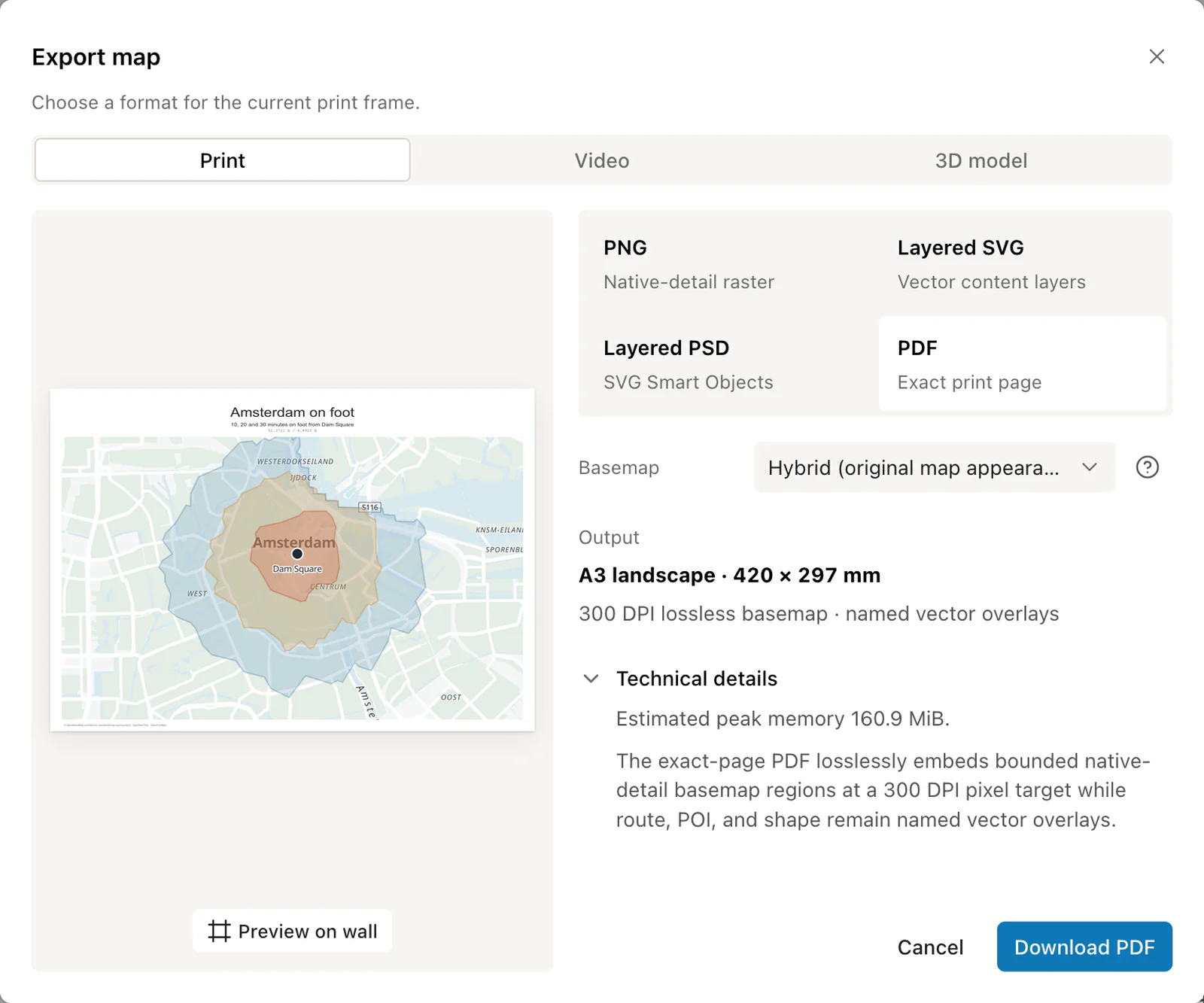
PDF is the format most print shops ask for first, as the map print size guide explains. Print Map Studio writes it at the exact page size, keeps routes, places, shapes and poster text as vectors, and renders the basemap at 300 DPI. An A2 poster comes out as a 594 × 420 mm page with a basemap of 7,016 × 4,961 pixels.

The poster tools sit in the Layout tab: five layout presets, a title block with subtitle and coordinates, margins, paper colour, photos pinned to places, a north compass, a scale bar, a coordinate grid and a QR code that opens the location in Google Maps. When the print is done, the same project can become a short MP4 map video, an STL terrain model or a read-only share link.

Export dialog with PDF selected, showing the exact A3 page size and how the file is built
One export dialog for print files.PNG, PDF, layered SVG and layered PSD sit side by side, with video and 3D model exports in their own tabs.

Which one suits your job

The right tool depends on who the map is for and what happens to it after export. A few common jobs:

  • A guidebook publisher who needs a licence and an invoice per map: Printmaps.net.
  • An A2 city poster for your own wall: Print Map Studio, as a 300 DPI PDF or PNG.
  • A designer restyling every road in Illustrator: Printmaps.net layered SVG, or Print Map Studio layered SVG with the vector basemap option on a flat map.
  • A property flyer with drive times to schools: either works; Print Map Studio draws driving, cycling and walking areas from 5 to 60 minutes.
  • A wedding or travel poster with photos and a QR code: Print Map Studio.
  • A map with an aerial photo background: Printmaps.net, in the countries it covers.

Moving a map from Printmaps.net to Print Map Studio

Rebuild the map from its source data. The files you uploaded to Printmaps.net work in Print Map Studio too.

  1. Collect the source files

    Find the GPX, KML or GeoJSON files you uploaded and the spreadsheet of addresses or coordinates you pasted for your places.

  2. Set the same page size

    Open the editor and pick a preset, or type the width and height in millimetres. A 220 × 220 mm map becomes a custom 220 × 220 mm page.

  3. Import routes and paste places

    Drop up to 10 GPX, KML or GeoJSON files at once. Paste places into the spreadsheet: up to 300 rows with coordinates, or 25 rows with addresses to look up.

  4. Rebuild shaded areas

    Add countries and regions from the boundary catalogue, or draw a shape. Fill colour, outline and opacity are set per layer.

  5. Match the style and export

    Start from the closest of the 12 styles and adjust the palette. Download a PDF for the print shop or a layered PSD for Photoshop. The map data credit prints as a small caption in the bottom margin.

Ready to start?

Open the editor and design your first map for free.

Try Print Map Studio

Common questions.

Pricing, file formats and moving your maps across.

Which map credit stays on the print?

Printmaps.net adds "© Printmaps.net / OSM Contributors" in the bottom-right corner, and if you remove it the credit has to appear legibly near the map. Print Map Studio prints a small OpenStreetMap, OpenMapTiles and OpenFreeMap caption in the bottom margin of every export.

What do I need to move a project from Printmaps.net?

Your original GPX, KML or GeoJSON files and your list of places. Import the files, paste the places into the spreadsheet, and set the same page size in millimetres.

Which editor handles bigger prints?

Both handle poster sizes. Printmaps.net layered SVG goes up to 1330 × 1330 mm. Print Map Studio accepts pages up to 1330 mm a side, writes 300 DPI PDFs up to A1, and saves 300 DPI PNGs up to 50 × 70 cm in one file, with larger PNGs streamed straight to disk in Chrome and Edge.

Do both use OpenStreetMap data?

Yes. Printmaps.net uses OpenStreetMap. Print Map Studio styles use OpenFreeMap and OpenMapTiles, which are built from OpenStreetMap, and every export prints the OpenStreetMap licence URL in its credit line.

Do I need an account for Printmaps.net?

Its own documentation says you can create maps without signing up. You pay at checkout and receive download links and an invoice by email.