Print Map Studio
3D terrain STL

Download a 3D terrain map as an STL for your printer.

Frame the area on the map, set the model size in millimetres, and download a watertight binary STL. Slice it like any other model and print a relief of a mountain, a valley or the hills behind your house.

  • Watertight binary STL
  • Sizes in millimetres
  • Route ridge option
  • Free, no account
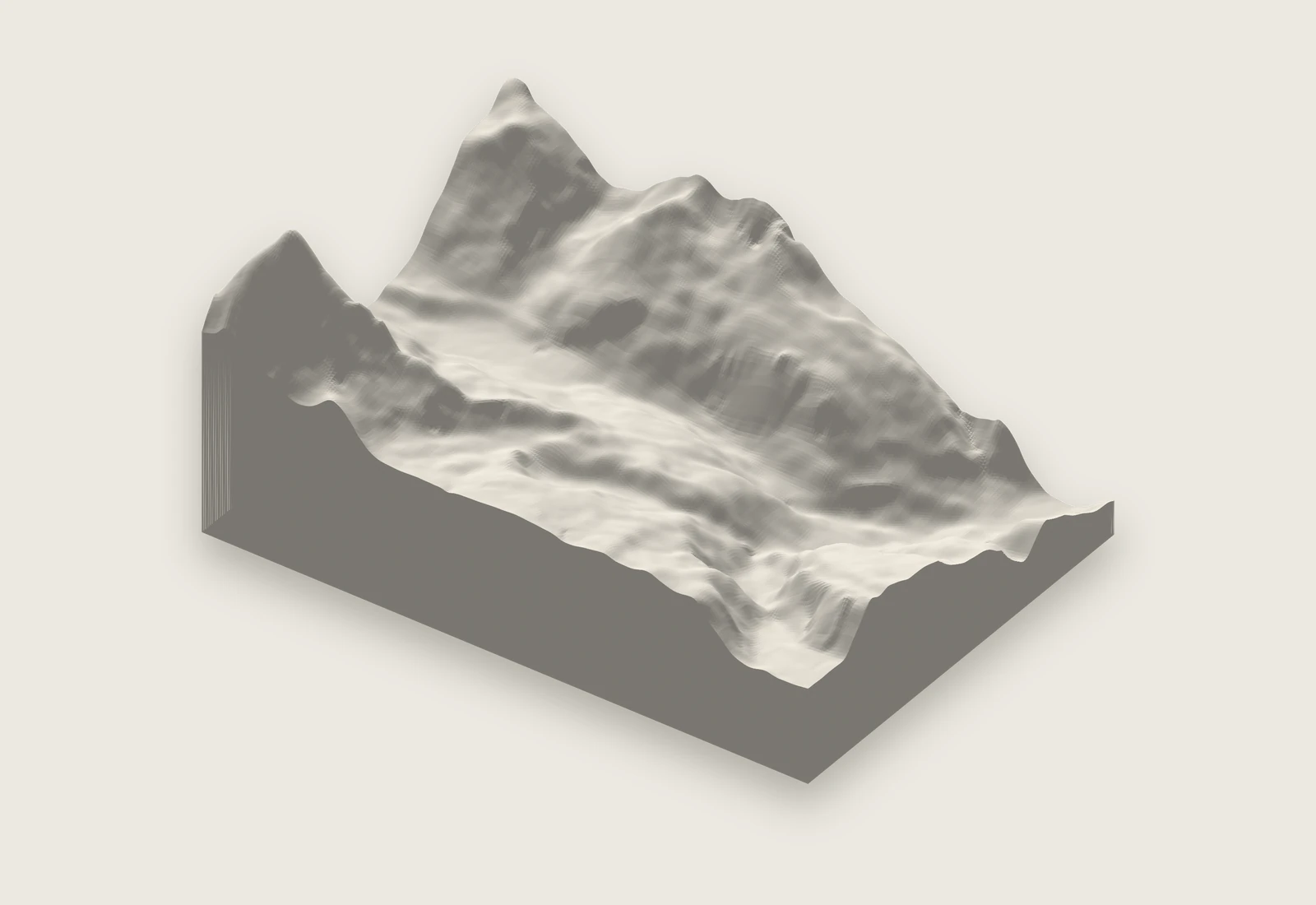
Render of the Matterhorn STL relief exported from the editor, ready for a slicer

From map frame to slicer

The STL covers exactly what sits inside the print frame, so set the map up the way you want the model to look from above.

  1. Frame the area and flatten the camera

    Move the map until the area fills the print frame. Turning on contour lines helps you see where the ridges and valleys fall. In the View section of the Map tab, set Pitch to 0. Bearing is kept, so rotate the map first if you want a ridge to run across the model instead of up it.

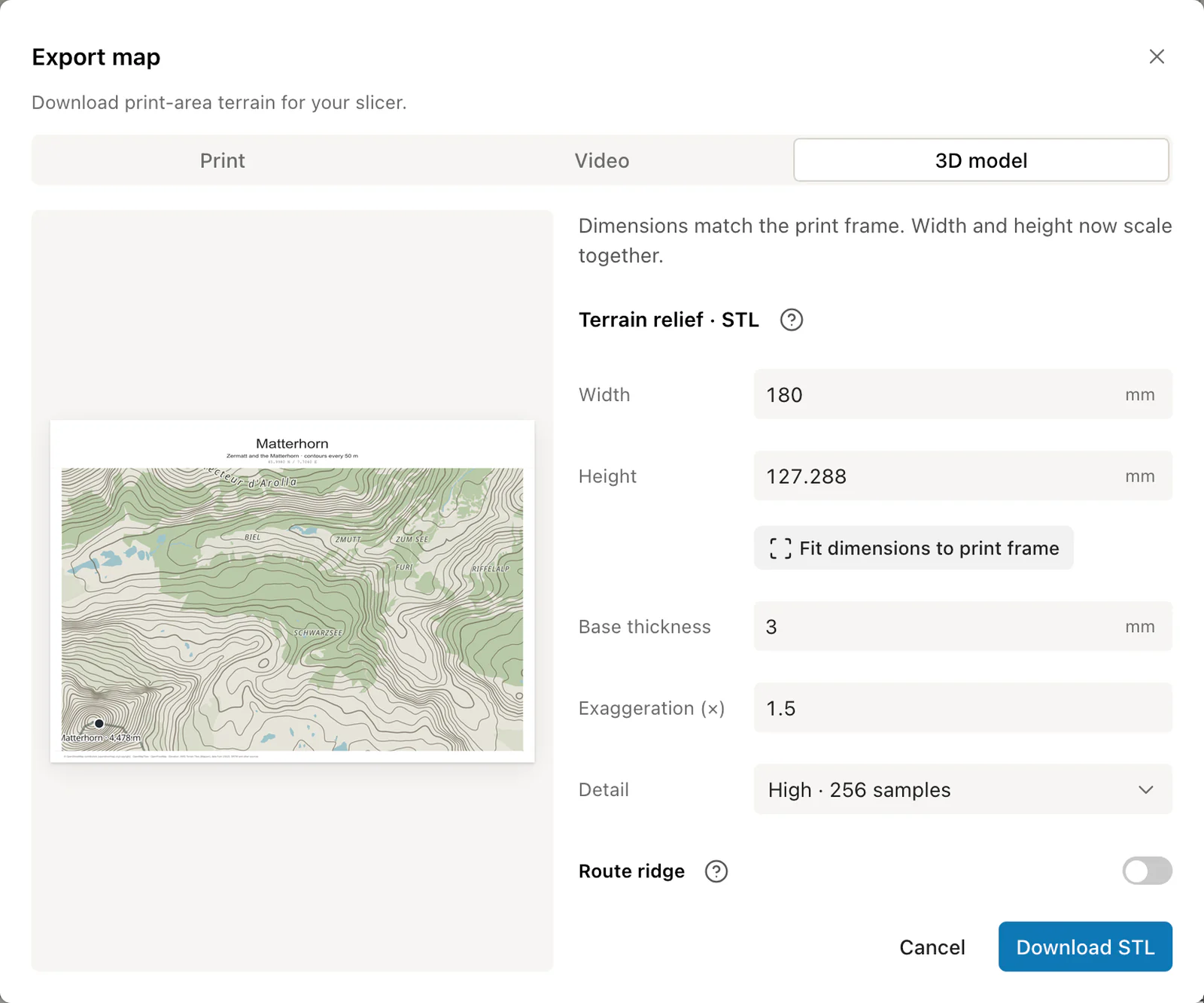
  2. Open the 3D model export

    Choose Export, then 3D model. Click Fit dimensions to print frame so the model has the same proportions as the frame, then type the width you want. Height follows.

  3. Set base, exaggeration and detail

    Start with a 2 mm base, 1× exaggeration and Medium detail, then use the height table below to decide whether the terrain needs more lift.

  4. Download the STL

    The editor builds the mesh in your browser and downloads terrain-relief-mm.stl, a watertight binary STL with side walls and a flat bottom.

  5. Import it in millimetres

    Open the file in PrusaSlicer, Cura, Bambu Studio or OrcaSlicer. The coordinates are millimetres, so a 150 mm model measures 150 mm on the bed.

  6. Slice for smooth slopes

    Print it flat on its base. A 0.12 to 0.16 mm layer height softens the steps on gentle slopes, and 10 to 15% infill is plenty under a solid top.
Export settings

Width and height
10 to 1000 mm per side, 150 × 100 mm by default. The two stay in proportion so the model matches the print frame.
Base thickness
0.2 to 100 mm, 2 mm by default. The lowest point in the frame sits directly on top of the base.
Exaggeration
0.1 to 50 times the real relief, 1× by default.
Detail
Low, Medium or High: 64, 128 or 256 elevation samples along the longer side.
Route ridge
Raises a visible route above the terrain. Height and width from 0.1 to 20 mm, 1 mm each by default.
File
Binary STL in millimetres, built as one closed solid.

How tall will it print?

The height of the terrain depends on two things: how much the ground rises inside the frame, and how much you shrink it to fit the model. Divide the frame width by the model width to get the scale, then divide the relief by that scale.

Mountains need nothing extra. Rolling country often needs 2× or 3× before the hills read on the desk.

Terrain height above the base. Add the base thickness for the full model height.
AreaFrame on a 150 mm modelReliefTerrain at 1×Try
Mount Rainier, Washington20 km, scale 1:133,000about 3,800 m28 mm1×
San Francisco10 km, scale 1:67,000about 280 m4.2 mm2× for 8.4 mm
Lake District, England30 km, scale 1:200,000about 940 m4.7 mm3× for 14 mm
  • Terrain height in mm = relief in metres × 1,000 ÷ scale × exaggeration. For Rainier: 3,800 × 1,000 ÷ 133,333 × 1 ≈ 28.5 mm.

Choosing a detail level

On a 150 mm model, High detail places a sample every 0.6 mm, which is close to what a 0.4 mm nozzle can draw. Medium places one every 1.2 mm and slices faster.

Heights come from elevation tiles at up to zoom 12, about 27 m per pixel at 45° latitude. High detail pays off on frames wider than roughly 7 km. For a single hill or a small island, Medium already captures what the data holds.

3D model tab of the Export dialog with relief size, base thickness and exaggeration
The 3D model export.Size, base, exaggeration, detail and the optional route ridge, all in millimetres.

Ready to start?

Frame a mountain and download the STL.

Export a terrain STL

Common questions.

Slicers, supports, scale and colours for terrain models.

Which slicers can open the file?

Any slicer that reads binary STL, including PrusaSlicer, Cura, Bambu Studio and OrcaSlicer.

Does it need supports?

The model is a solid block with a flat bottom and terrain on top, so it prints straight off the bed with supports turned off.

How do I print a model larger than my bed?

Export at the full size you want, up to 1000 mm per side, then use your slicer's cut tool to split it into tiles that fit the bed.

Can I print it in more than one colour?

The STL is one solid body. Paint it after printing, or use the colour painting tool in a multi-material slicer to pick out water, the route ridge or a snow line.

Can I rotate the model so north is not at the top?

Yes. Set the map bearing before you export and the model keeps that rotation.

What scale is the model?

Divide the width of the area on the ground by the model width. A 20 km frame on a 150 mm model is about 1:133,000. The height table above shows how that scale turns real relief into millimetres of terrain.