Print Map Studio
Wedding and anniversary maps

A wedding map poster of where it all happened.

Mark where you met and where you married, add your names, the date and the coordinates, and print it at the exact size of the frame you have in mind. Design it free in the browser and take the file to any print shop.

  • Two places, an arc or a route
  • Names, date and coordinates
  • Print-ready PDF
  • Free, no account
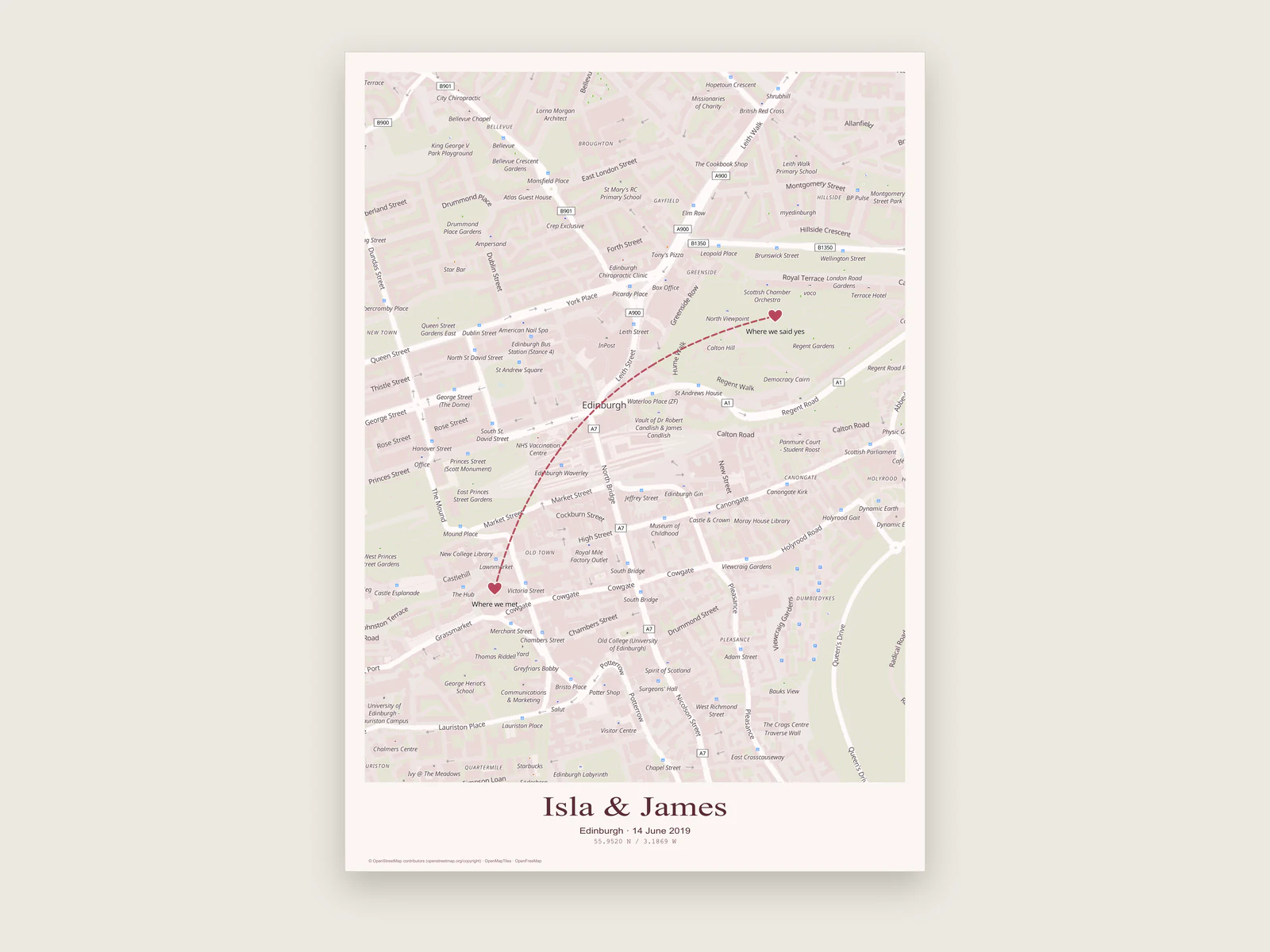
Edinburgh wedding map poster with two heart markers joined by a dashed arc

Two places, one map

Most wedding and anniversary maps mark two places: where you met and where you married, or your first flat and the house you live in now. How you lay them out depends on the distance between them.

Place labels hold up to 40 characters. "Where we met" and "Where we said yes" both fit.
StepSame townDifferent cities or countries
FrameBoth places plus a few streets around themBoth places with the land and sea between them
MarkA place marker on each, labelled with a short nameA place marker on each city
ConnectOften left unconnected, or joined by a dashed route for the walk between themAn Arc route with the Air, Train, Car or Ship travel marker
LabelsStreet names on, text scale near 100%Basemap labels off, so your two names stand out
PagePortrait, A3 or 30 × 40 cmLandscape if the places sit east and west of each other

Names, a date and the coordinates line

Layout › Text has four lines: title, subtitle, caption and coordinates. A pattern that works: names in the title ("Amira & Tom"), the date and city in the subtitle ("14 June 2025 · Lisbon"), and a short line in the caption if you want one. Set the title in Classic serif at 40 to 60 pt and keep the subtitle in Modern sans around 12 pt.

The coordinates line always shows the centre of the map, in decimal degrees (38.7369 N / 9.1427 W) or degrees, minutes and seconds. With one place on the poster, move the map so the venue sits in the middle and the line becomes the venue's coordinates. With two places, the centre falls somewhere between them. In that case, turn the coordinates line off and type each venue's coordinates into the caption yourself.

To get exact coordinates, select a place marker. Its longitude and latitude are shown in the layer properties, and you can type in values copied from your venue's website or a map app. Map apps usually list latitude first and longitude second, so check the order when you paste.

Paper colour and paper stock

The paper colour in Layout › Page fills the margins and the title block. It is printed as ink, which matters when you choose what to print on.

White (#ffffff)
The default. Choose it when you print on cream, ivory or textured stock, so the real paper colour shows through around the map.
Cream (#faf7f0)
The City edition layout. On bright white stock it prints as a soft warm tint across the whole sheet.
Warm parchment (#f5efe3)
The Field notes layout. A slightly darker, older-looking tone that suits a mono typeface and a dated caption.
Deep navy (#15212b)
The After dark layout with the Night Ink map. Bold on a wall, and the whole sheet is covered in ink, so pick a matte stock to keep reflections down.

Sending the file to a print shop

The editor makes the file and you choose who prints it: a local print shop, an online printer, or a framer who prints in-house. These steps save a second trip.

  1. Ask for their size and bleed

    Get the exact finished size, and ask whether they want bleed. Many shops ask for 3 mm on each edge. The map print size guide covers bleed and pixel sizes in more detail.

  2. Set the page to match

    Pick a preset or choose Custom in Layout › Page and type the size in millimetres. For 3 mm bleed, add 6 mm to each dimension, so an A3 poster becomes 303 × 426 mm. Keep text and markers at least 10 mm in from the edge.

  3. Export the PDF

    PDF keeps the exact page size, and your title, routes and markers stay as vector content, so type edges are crisp. Also download a 300 DPI PNG as a backup; some online printers ask for an image upload.

  4. Check the scaling rule

    A-series pages share the same proportions, so an A3 PDF scales cleanly to A2 or A4. A 50 × 70 cm frame and US Letter have different proportions, so export a separate file at those sizes.

  5. Keep the project file

    Download the project file from the project menu. It holds every setting, so you can fix a typo, reprint for an anniversary, or make a matching card later.

See it framed before you print

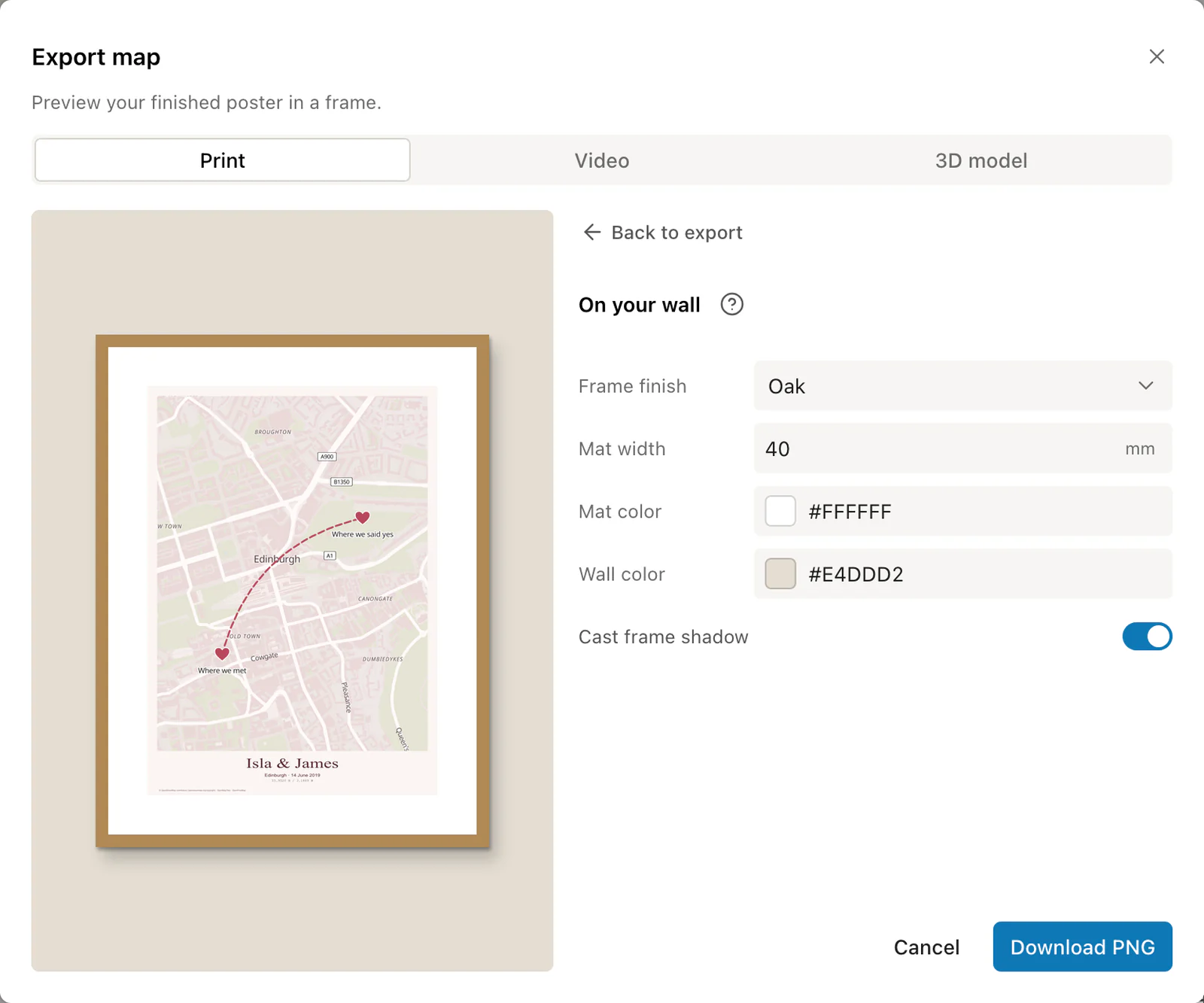
The wall preview in the Export dialog puts the poster in a black, white, oak or walnut frame, with an optional mat up to 50 mm wide, on a wall colour you pick. It is a quick way to settle between two paper colours.

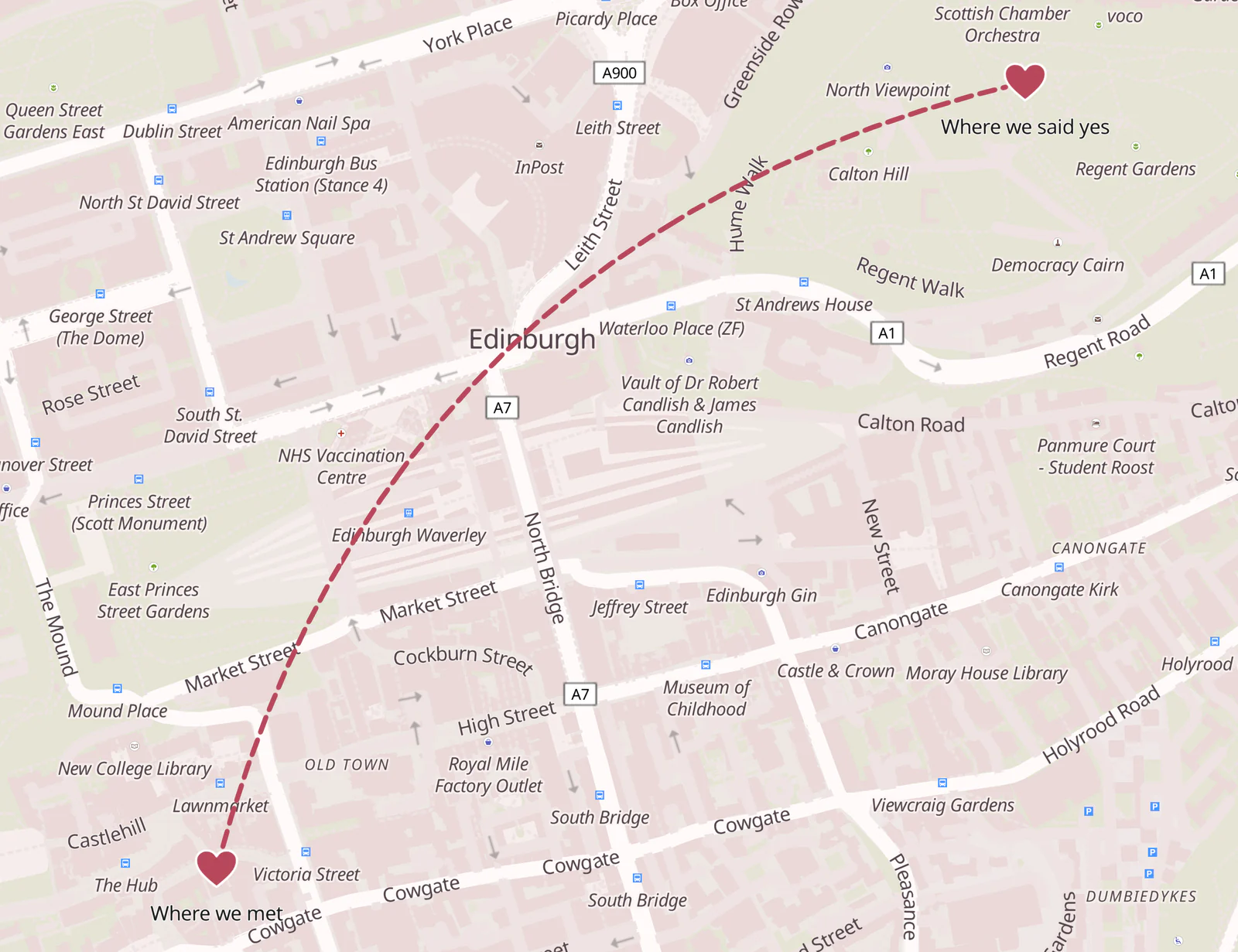
Detail of the wedding poster: a dashed arc from Where we met to Where we said yes
Two marked placesPlace markers with short labels and an arc between the two places.
Wall preview of the Edinburgh poster in an oak frame with a white mat
Wall previewFrame finish, mat and wall colour are for previewing and stay out of the exported file.

Ready to start?

Start the map for your wedding or anniversary.

Design your wedding map

Common questions.

Markers, dates, sizes and gift printing.

Can I use a heart instead of a pin?

Yes. Upload your own PNG, JPEG or SVG image as a place marker. It is stored inside the project and appears in PNG, layered SVG and layered PSD exports. For a PDF, the built-in circle, square and diamond markers work well.

How do I draw a line between where we met and where we married?

Use the Route tool, click the two places, and choose Arc for a curved line. Pick a travel marker (Air, Train, Car, Walking, Cycling or Ship) and a solid or dashed line, then set its colour and width.

Can I add our wedding date and a short quote?

Yes. The subtitle and caption each hold up to 400 characters, with their own font, size and colour. Short lines read better on a wall than long ones.

What size works best as a gift?

A3 (297 × 420 mm) and 30 × 40 cm frames are easy to buy ready-made. For a statement piece above a bed or sofa, A2 or 50 × 70 cm. Set the page to the frame size before you design, so the composition fits.

Can I make the same map as a card or invitation?

Yes. Switch the page to A6 (105 × 148 mm) or A5 and export again. Raise the text scale in Map › Labels & details if the street names look small at that size.

Can we add a third place, such as where we got engaged?

Yes. Add as many place markers as you like, each with its own label of up to 40 characters. Three places read well joined by one Arc route, clicked in the order they happened.